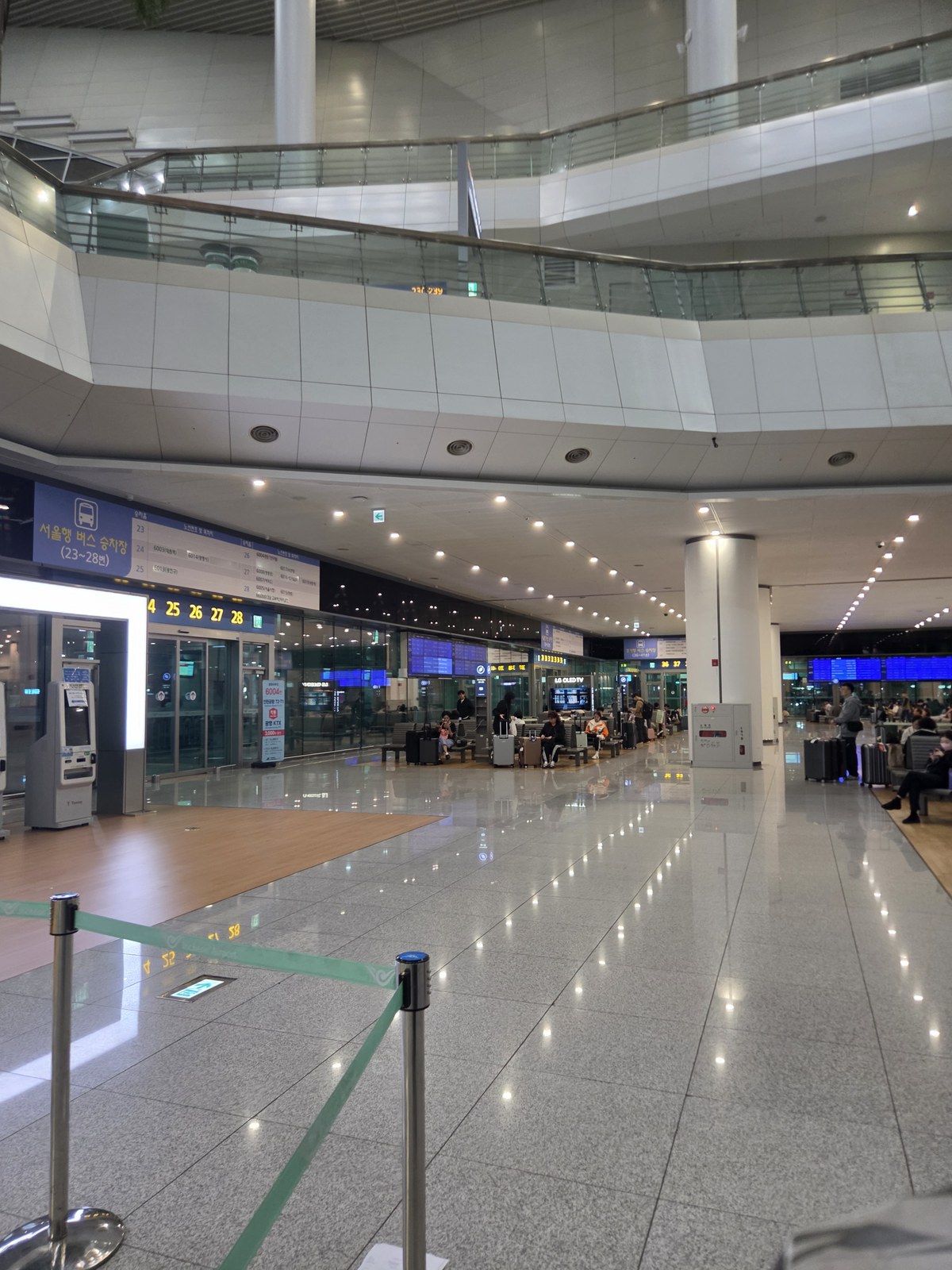
What I recorded
I photographed the Terminal 2 bus area and English ticket-machine screens on the evening of October 12, 2026. The photos show the signs, waiting hall, staffed counter and several stages of the kiosk. The purchase and boarding instructions below combine those observations with current airport and operator guidance; the photographs do not document a completed payment or a full bus ride.
1. From arrivals, follow the B1 Transportation Center signs
After entering the public arrivals area, follow signs for the Transportation Center and Bus Terminal and go down to B1. The bus area is separate from the rail platforms even though both are reached through the transportation center. With luggage or a stroller, follow the elevator signs rather than committing to an escalator.
The airport's T2 bus-stop guide places Seoul, Gyeonggi and intercity services in the B1 Transportation Center. Incheon city buses, group buses and airline/hotel buses use separate 1F locations. These directions cover the B1 terminal, not every bus at the airport.
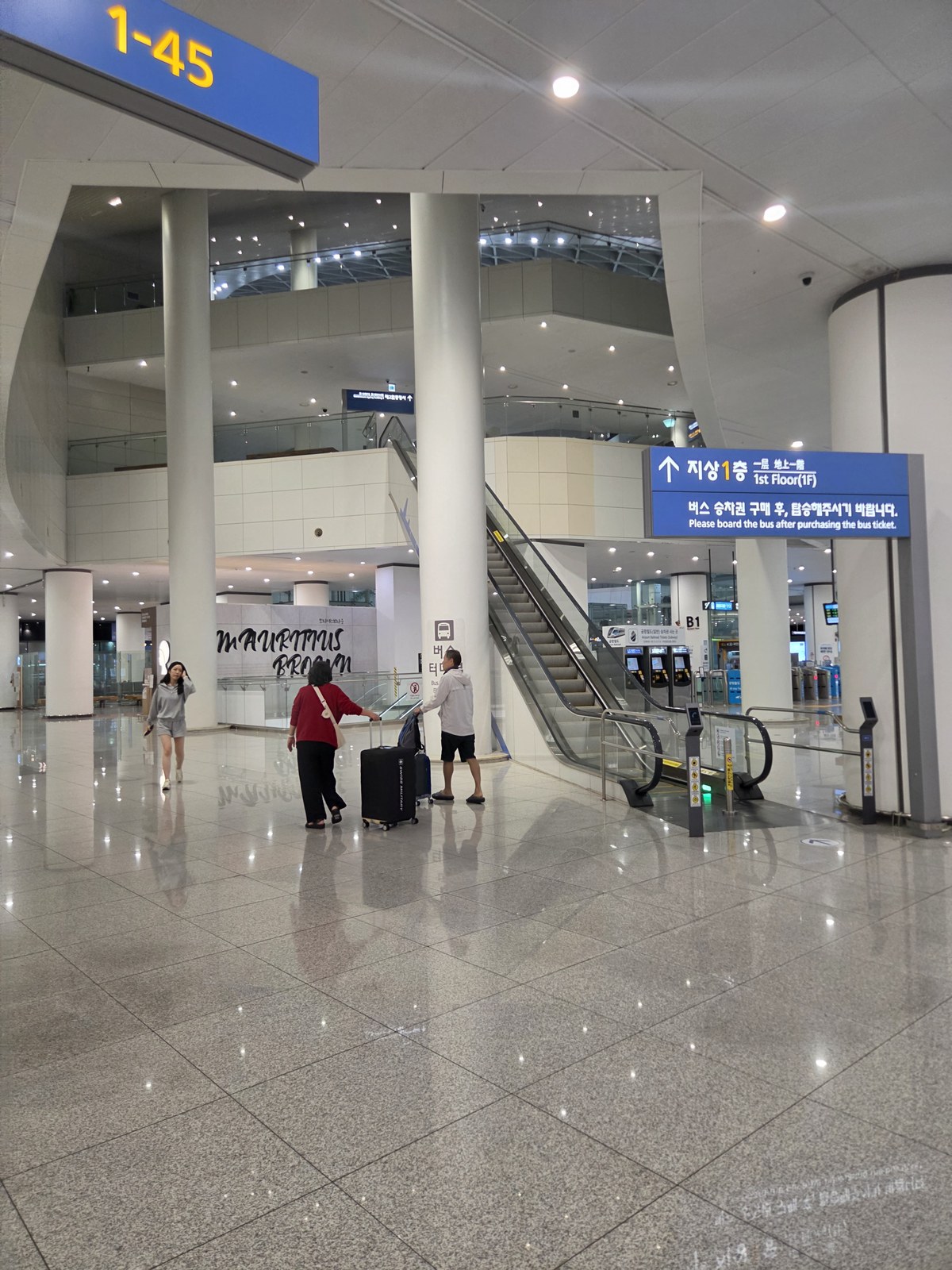
2. Read the destination zone, then the exact bay
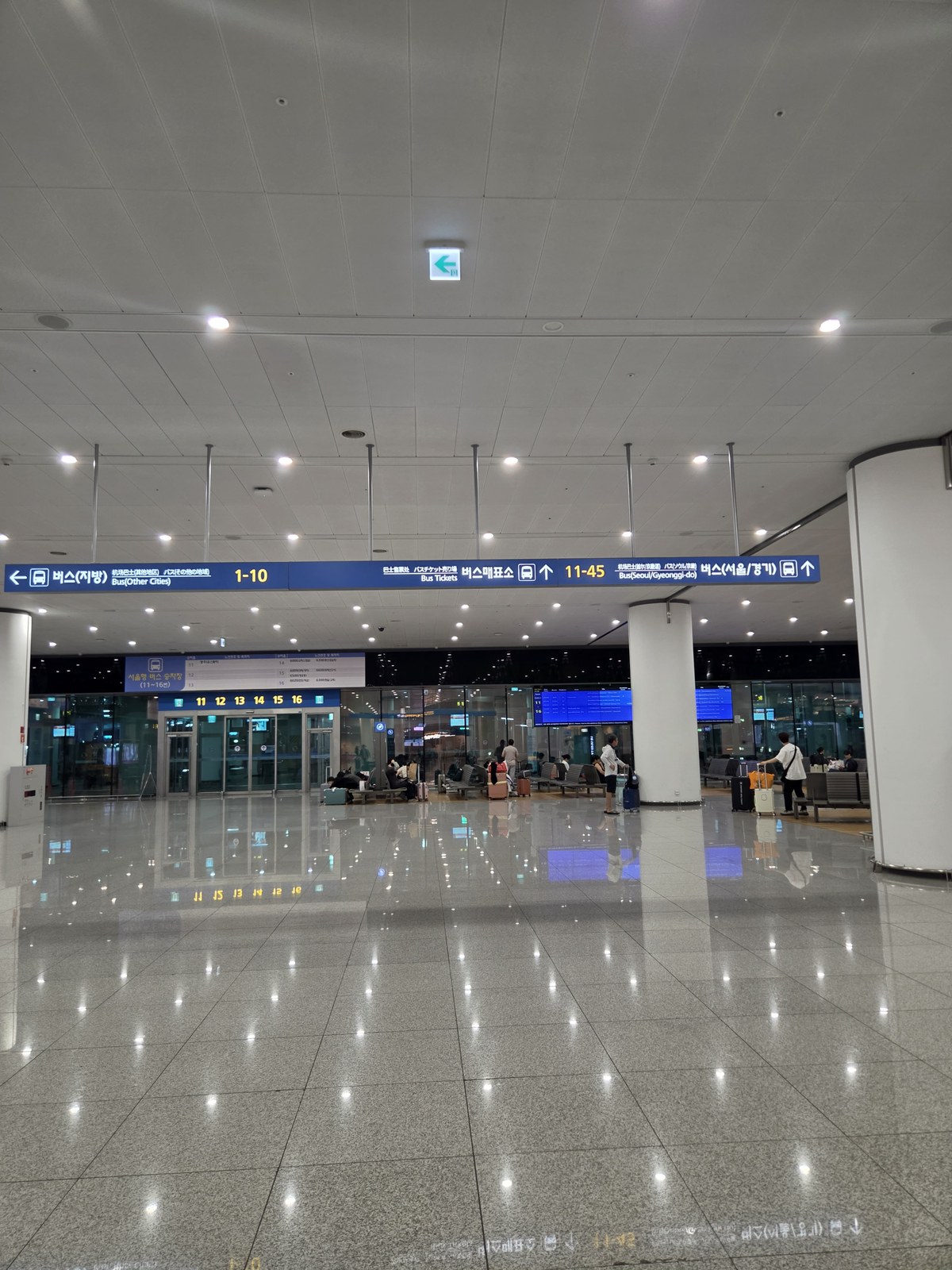
The boarding groups recorded on this visit were 1–10 for other cities/intercity buses, 11–35 for Seoul, and 36–45 for Gyeonggi. These numbers narrow the area to search; the exact bay on the ticket and current departure display determines where you wait. A bay number is not a bus route number or an airport flight gate.
- 지방 / Other Cities: bays 1–10.
- 서울 / Seoul: bays 11–35.
- 경기 / Gyeonggi: bays 36–45.
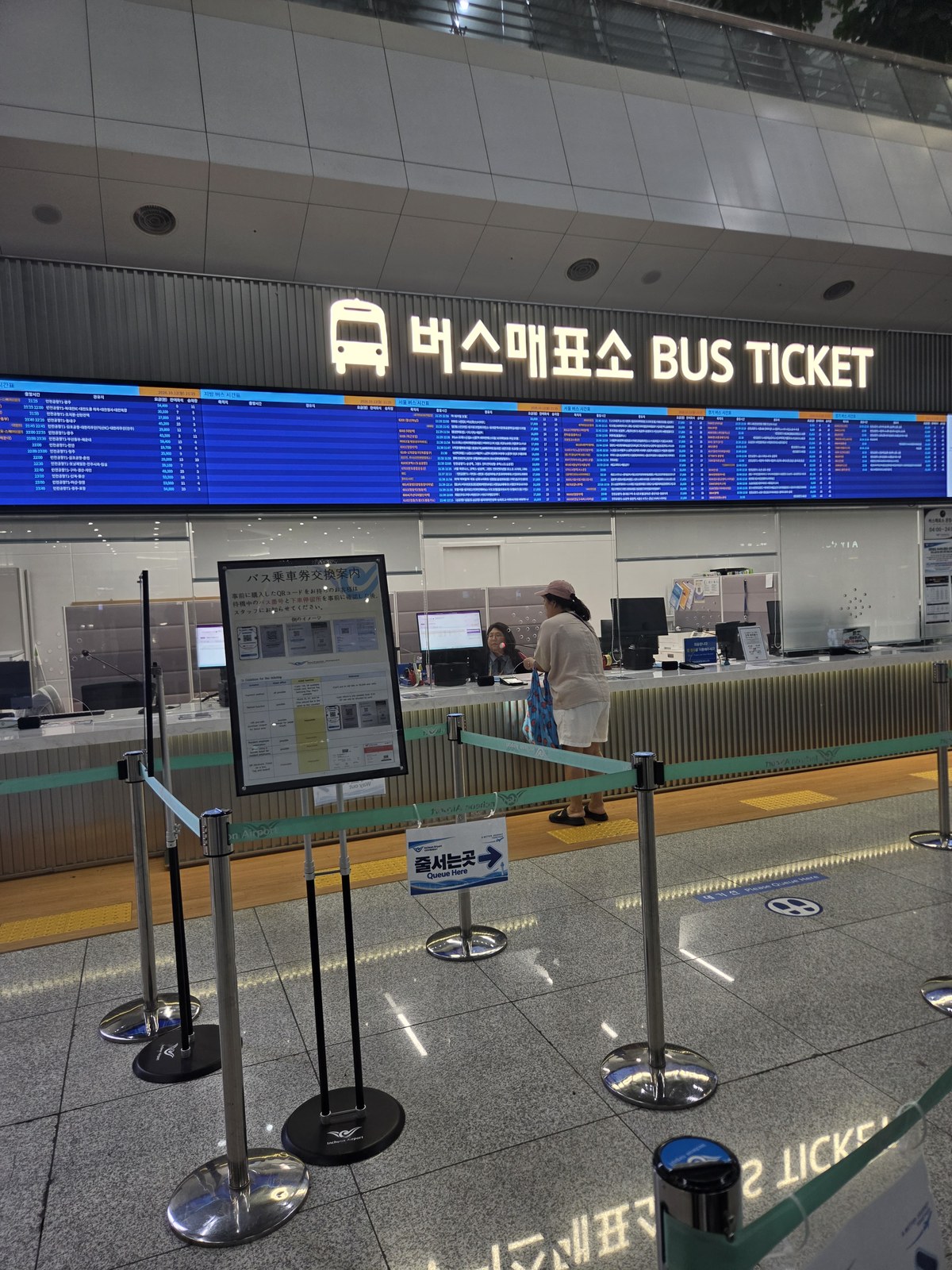
3. Choose the staffed counter or ticket machine
The staffed bus counter and self-service kiosks were both present. If you know your exact stop and can complete the screen's payment steps, the kiosk is a direct route. If the destination name, ticket exchange or payment is unclear, show the accommodation's Korean address and your booking, if any, at the staffed counter.
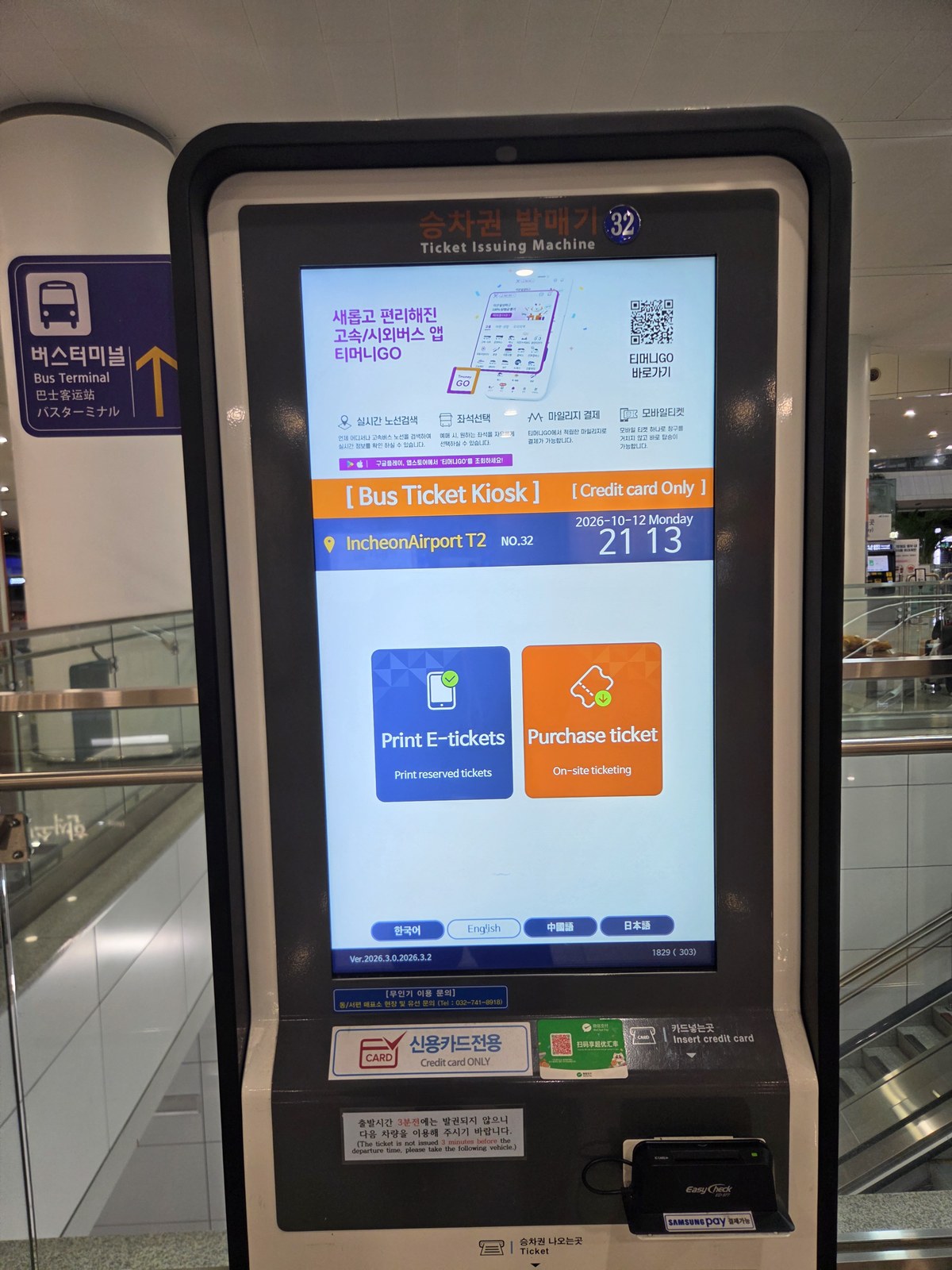
The photographed machine was labelled credit-card-only and offered English, Korean, Chinese and Japanese. That label describes this kiosk, not universal acceptance of every foreign card or phone wallet. If your card is declined, use the counter to ask for a supported payment method.
4. Follow the kiosk sequence
- Select English. Use Purchase ticket for a new purchase; use the reservation-issuing option only when it matches your existing booking's instructions.
- Choose or search the exact destination stop. Check that the departure terminal is Incheon Airport T2.
- Choose the travel date and a departure with available seats that leaves time to reach the bay.
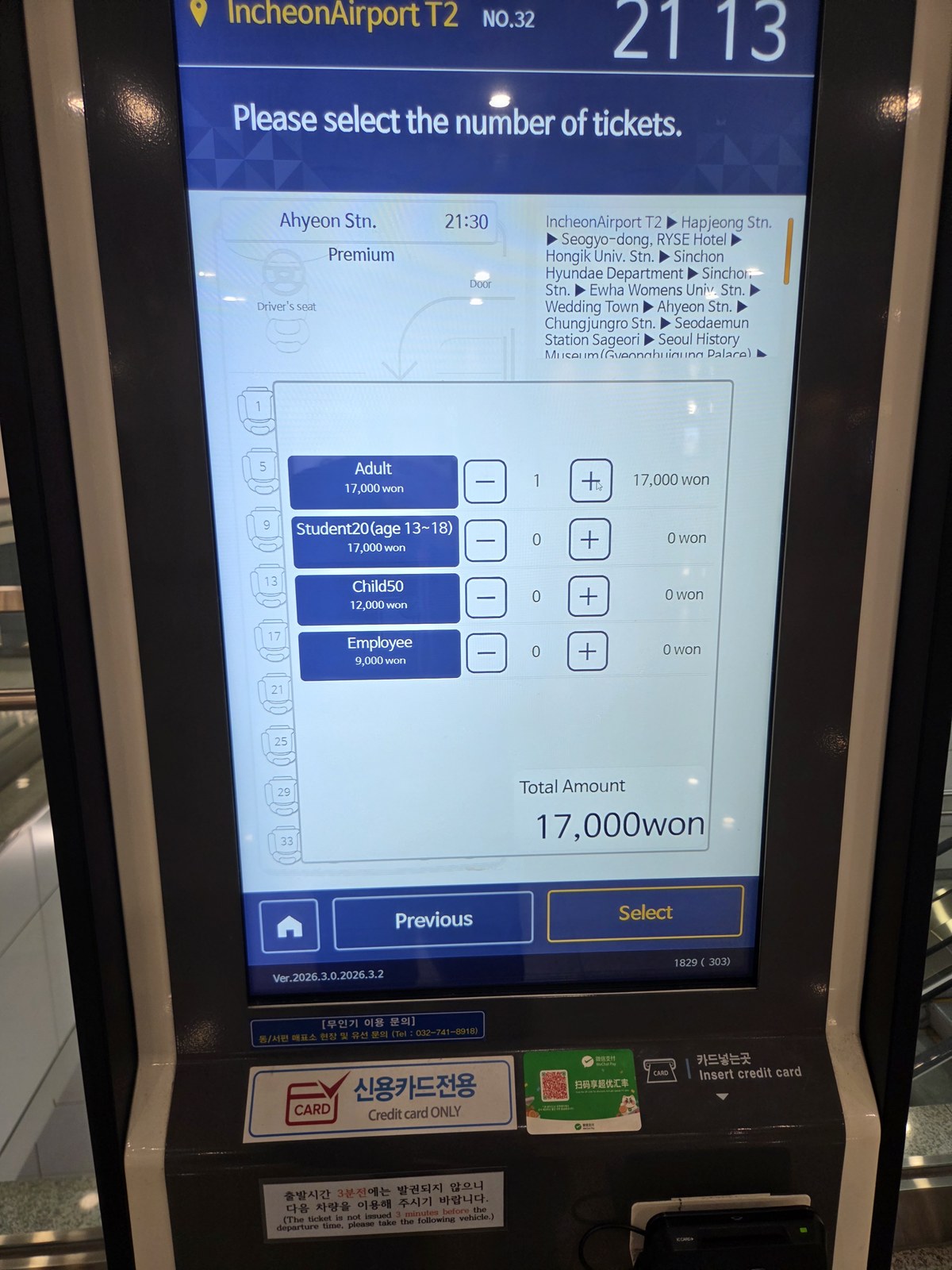
- Select the number and category of passengers, and seats if that service offers selection. Use only a fare category for which you qualify.
- Review the stop, departure, passengers and total; complete payment and collect the issued ticket. Read its boarding bay and any seat assignment before walking away.
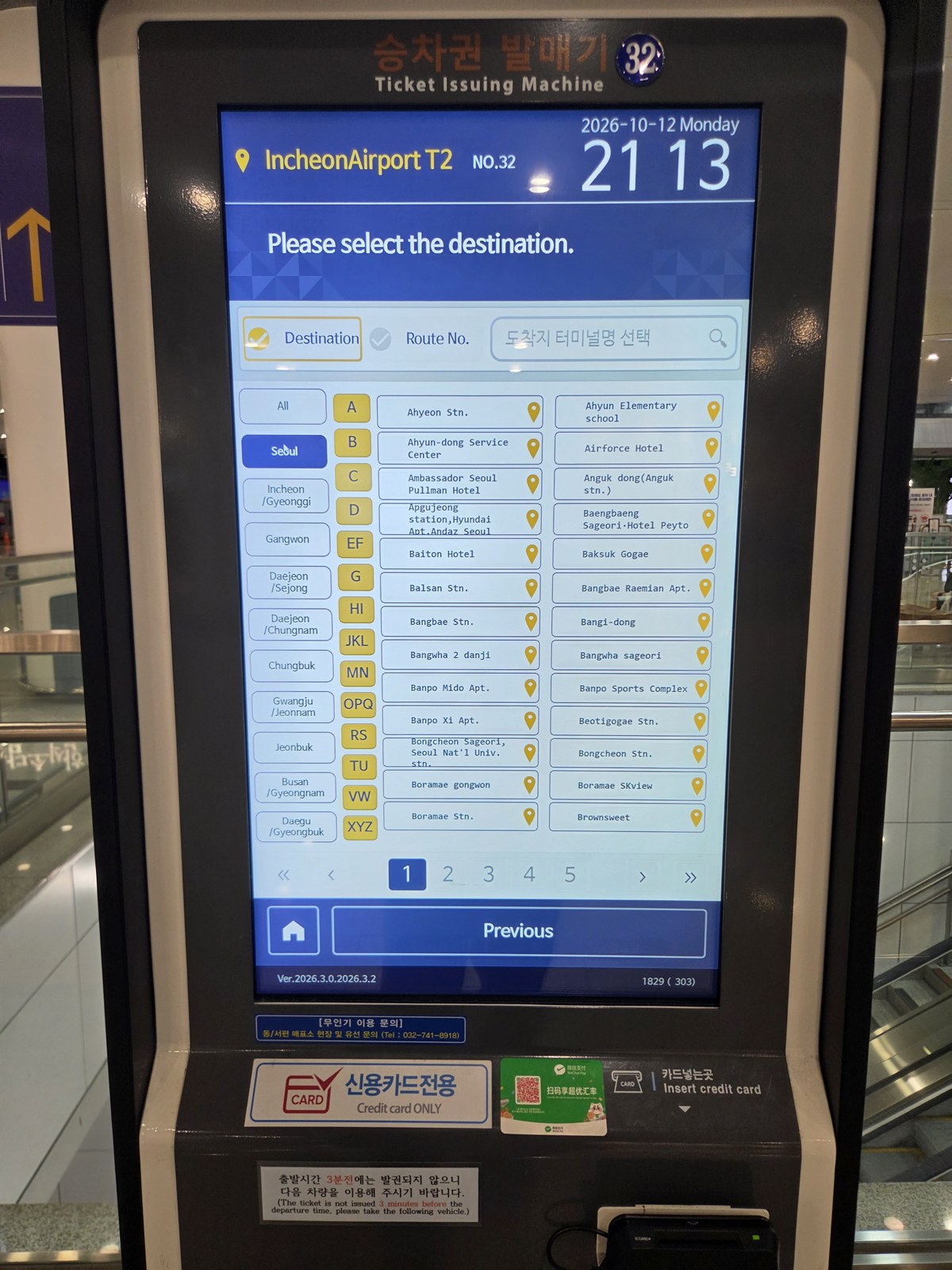
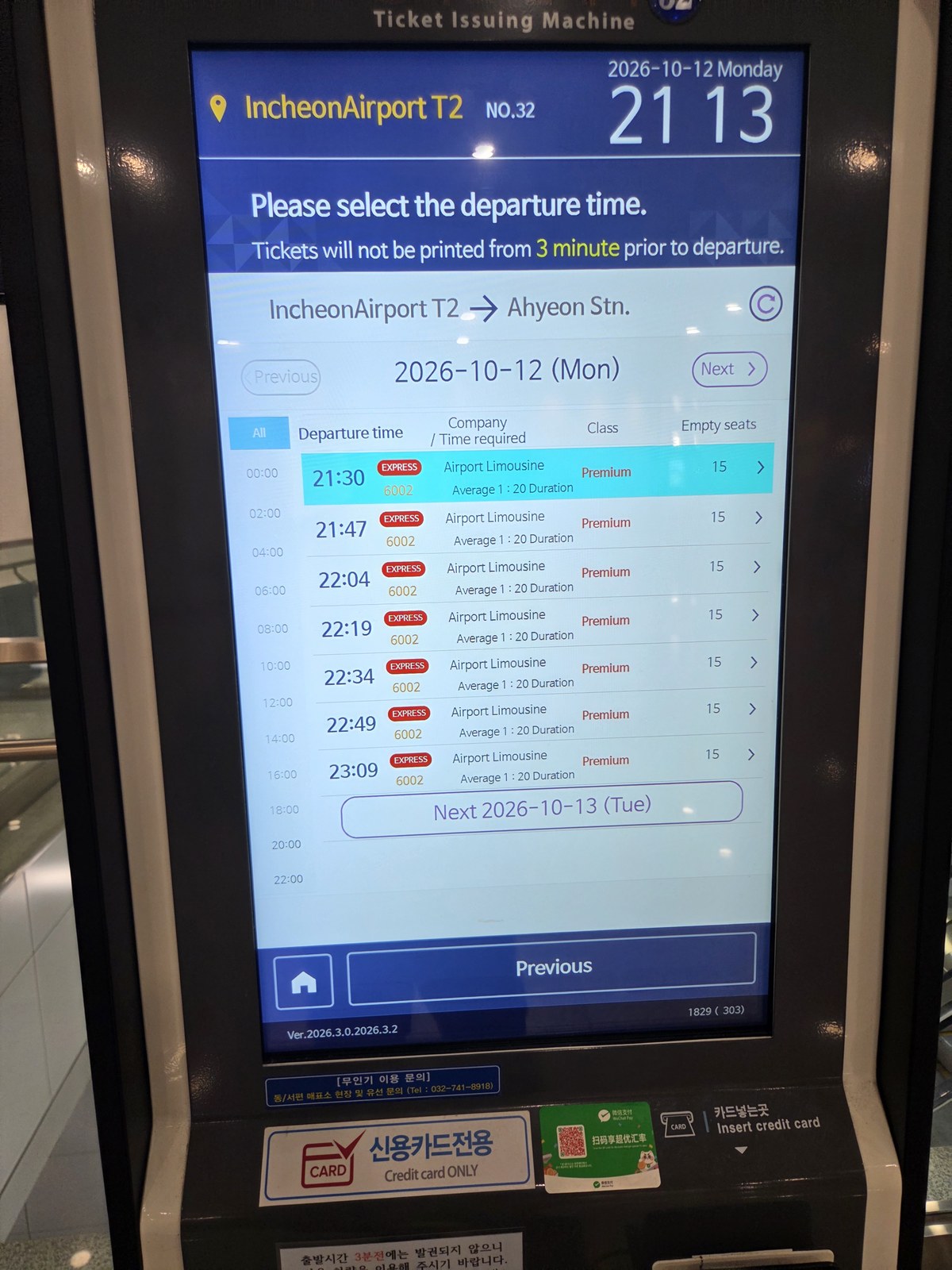
A nearly departing bus may appear on a list while ticket issuance is already unavailable. If the machine refuses the departure, choose a later usable service or ask the counter; do not treat a displayed remaining seat as permission to board without a ticket.
Online booking and QR vouchers need a separate check
The photographed kiosk advertised Tmoney GO, but online booking availability depends on the exact route and operator. Airport Limousine's own FAQ says its online ticket purchase is not available. Finding no service in one app does not prove there is no bus; use the airport route search and the named operator, or buy at the terminal.
Also distinguish an app reservation, a seller's QR voucher and the ticket accepted at the door. K Airport Limousine currently instructs airport passengers with its QR vouchers to exchange them at a staffed counter for a reserved paper ticket. Follow the collection instruction attached to your own product before joining the line.
For T2 departures, Airport Limousine's April 7, 2026 notice explicitly requires ticket purchase. Its T1 exceptions and city-to-airport payment rules should not be copied into this T2 departure procedure.
5. Match the display, load luggage and board
Walk to the printed bay and compare the route or destination and departure time with the electronic boards in the waiting area and at the boarding door. The boards can show available-seat information, but that is operational information rather than a reserved place for someone who has not obtained a ticket.
When staff call the departure, show the ticket and follow the driver's luggage-loading instructions. Keep your passport, money and essential items with you. Then complete the ticket check, take the assigned seat if one is printed, or follow the operator's seating instructions if there is no assignment. Keep the ticket and any luggage claim tag until you retrieve the correct bag.
Show the driver your destination stop if it is unclear. Loading a bag and having the route checked do not guarantee the driver knows your exact stop; watch the stop announcements and signal when required.
If the first plan fails
- Stop not found: show the counter the Korean accommodation address; resolve the final walk before choosing a similarly named stop.
- Card or voucher rejected: ask the counter about payment or exchange for that operator. An unfamiliar QR format is not a reason to buy a second ticket immediately.
- Sold out, cutoff passed or departure missed: ask about the next service and the original seller's change/refund procedure. Compare rail or an official taxi if no useful bus remains.
- Ticket and board disagree: ask staff before loading luggage. Use their current departure assignment rather than an old photo.
Plan your own visit
This visit was on . Use the guides below for the choices you still need to make.
- Decide whether the airport bus fits your arrival
Compare the complete bus route with rail and a taxi, including luggage and the final walk.
- Match the Seoul stop to your accommodation
Choose the exact destination stop instead of a broad neighborhood name.
- Prepare a ticket-payment fallback
Separate paying at a ticket kiosk from tapping a transit card or phone at the bus door.
Article updated .